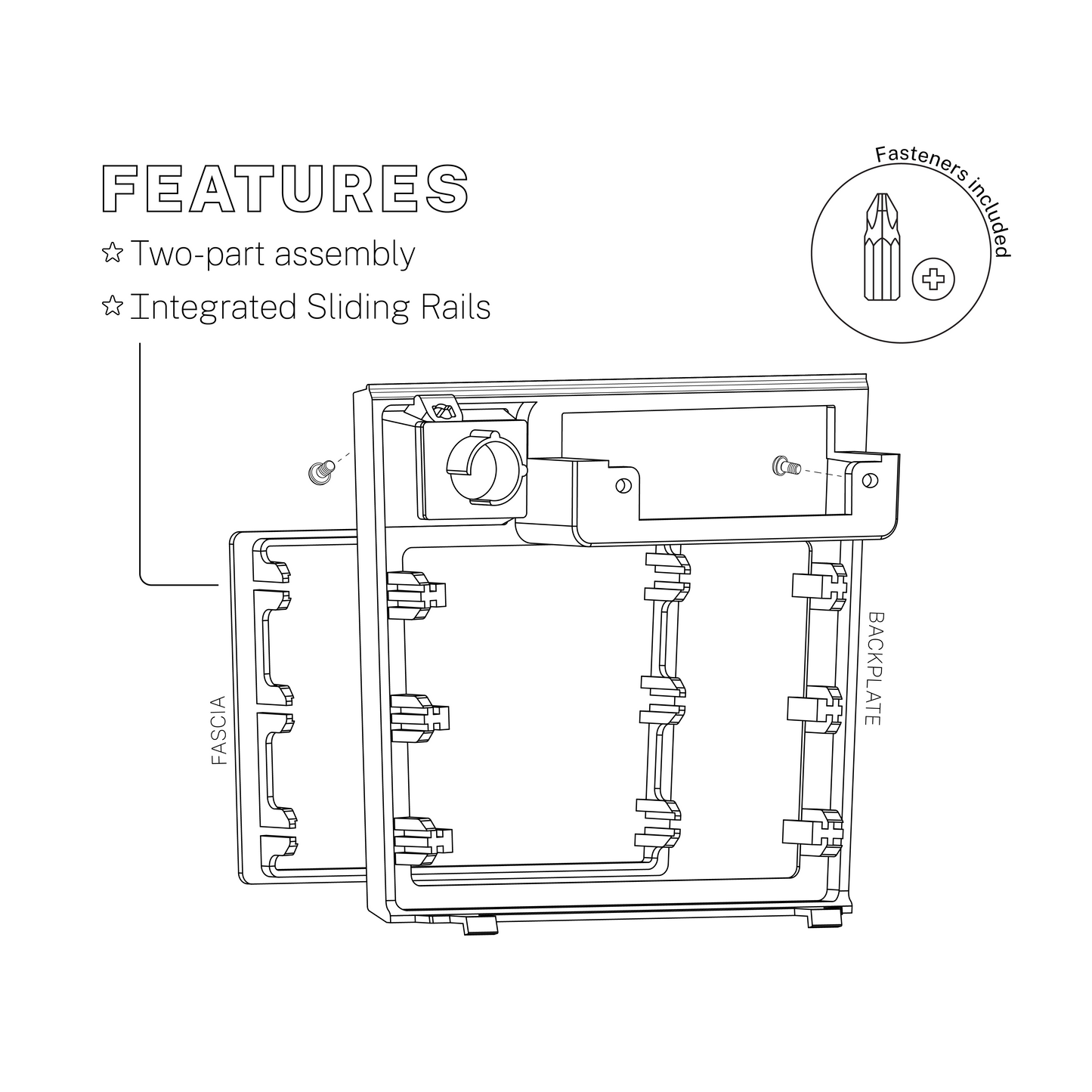
Enhance your Nissan R31 Skyline’s interior with our modular, reverse-engineered radio surround. Designed as a customisable 2-part modular assembly, the primary components are an OEM+ mounting Backplate with an interchangeable clip-in Fascia.
The backplate locks into factory mounting points, it's also compatible with the OEM cigarette lighter and slide-out ashtray. The fascia takes up the lower two-thirds of the surround and can be tailored to your setup, single or double DIN, discreet storage solutions or multi-gauge configurations.
Each kit includes 3x base components: (select your choice of fascia/s + add-on accessories)
1x Radio Surround Backplate
1x Radio Surround Fascia (select from options)
3x Zinc-plated Phillips Head Fasteners
Installation Guide:
Connect fascia to backing plate before installing the Backplate into the dash.
Align the clips on the backside of your chosen Fascia with the receiving rails on the Backplate, carefully apply even pressure to the front face of the Fascia until it is firmly seated and flush against the front face of the Backplate (ensure the Fascia's clips slide onto the 6x rails of the Backplate evenly and at the same time).
Angle the bottom edge of the Radio Surround Backplate so the 2x lower clips slot into the cutouts on the bottom edge of the dash.
Applying even forward force to the top edge of the Backplate, gently push it into place.
Using the assembly diagram, locate the 3x fastening points - 2x behind the ashtray and 1x in the upper right hand corner of the cigarette lighter cutout.
Tighten each fastener until the Backplate is securely mounted against the dash.